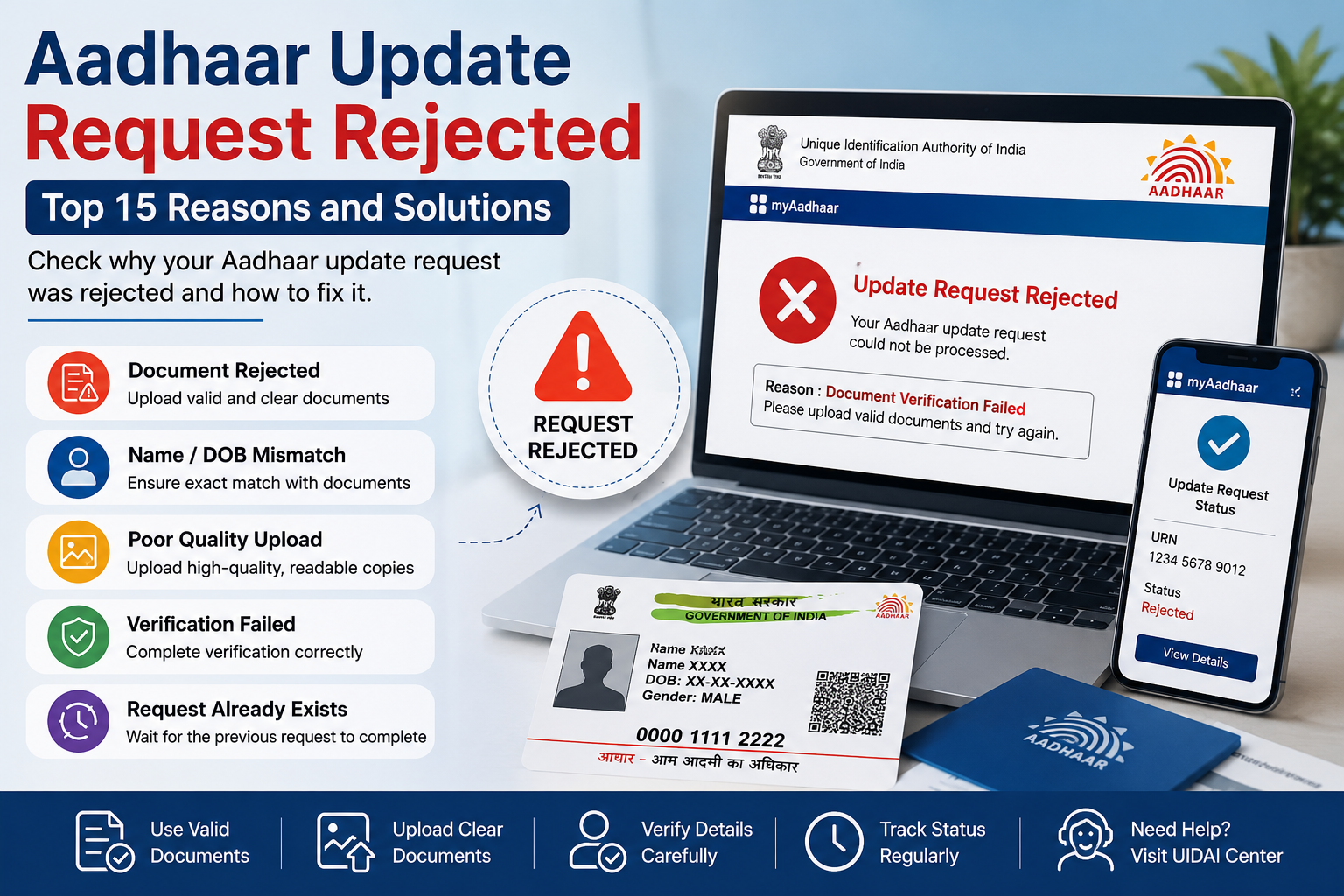
Aadhaar Update Request Rejected: Top 15 Reasons, Error Codes and Solutions
If your Aadhaar update request has been rejected, you are not alone. Every year, thousands of Aadhaar holders face update rejections due to document mismatches, incorrect information, verification failures, or poor-quality uploads.
The good news is that most Aadhaar update rejections can be fixed by identifying the exact reason and submitting a fresh request with correct documents.
This guide explains the most common Aadhaar update rejection reasons, status codes, solutions, and expert tips to avoid future rejections.
Quick Answer
An Aadhaar update request is usually rejected because of document mismatch, poor-quality uploads, invalid supporting documents, OTP verification failure, incorrect information, or UIDAI verification issues. Most rejected requests can be corrected and resubmitted successfully.
Most Common Aadhaar Update Rejections
| Rejection Type | Frequency |
|---|---|
| Name Mismatch | Very Common |
| Blurred Documents | Very Common |
| Invalid Address Proof | Common |
| DOB Proof Issues | Common |
| OTP Verification Failure | Moderate |
Name Update Rejection Examples
| Requested Name | Document Name | Result |
|---|---|---|
| Ramesh Kumar | Ramesh K. | Rejected |
| S. Lakshmi | Lakshmi Devi | Rejected |
| Raj Kumar | Raj Kumar | Approved |
Aadhaar Update Rejected vs Approved
| Factor | Approved | Rejected |
|---|---|---|
| Clear Document | Yes | No |
| Exact Name Match | Yes | No |
| Valid Proof | Yes | No |
| Correct DOB | Yes | No |
| Readable Upload | Yes | No |
Aadhaar Update Submission Checklist
✅ Aadhaar Number verified
✅ Mobile number active
✅ Clear document uploaded
✅ Name matches document
✅ Address proof valid
✅ OTP received successfully
Error Message Table (Very Important)
| Error Message | Meaning | Solution |
|---|---|---|
| Verification Failed | Document not accepted | Upload valid proof |
| Name Mismatch | Name differs | Use matching document |
| Invalid DOB Proof | Proof rejected | Submit accepted proof |
| Mobile Verification Failed | OTP issue | Verify mobile number |
| Update Request Rejected | General rejection | Check detailed reason |
Top 15 Reasons Why Aadhaar Update Requests Are Rejected
1. Name Mismatch
The name entered in the update request does not exactly match the supporting document.
2. Poor Quality Document Upload
Blurred, cropped, or unreadable documents are commonly rejected.
3. Invalid Proof of Identity
Documents not accepted by UIDAI may result in rejection.
4. Invalid Address Proof
Address proof must contain complete and readable address information.
5. Date of Birth Proof Rejected
Unsupported or unclear DOB documents often fail verification.
6. Expired Documents
Expired documents may not be accepted.
7. Incorrect Aadhaar Number
Entering an incorrect Aadhaar number can lead to verification failure.
8. Multiple Update Requests
Submitting multiple requests simultaneously may create conflicts.
9. Incomplete Application Details
Missing mandatory fields may cause rejection.
10. Gender Information Mismatch
Mismatch between submitted records and requested changes.
11. OTP Verification Failure
Mobile verification issues may stop processing.
12. Language Translation Errors
Regional language information may not match English records.
13. Unsupported Characters
Special symbols and unsupported characters can cause validation issues.
14. Duplicate Information Detected
UIDAI systems may identify conflicting records.
15. UIDAI Verification Failure
Verification may fail due to technical or documentation issues.
Update Type and Common Rejection Reasons
Documents Most Frequently Rejected
Example of Aadhaar Update Rejection
Suppose a user submits a name correction request:
- Requested Name: Ramesh Kumar
- Uploaded Document Name: Ramesh K.
Since both names do not exactly match, UIDAI may reject the update request.
What To Do After Aadhaar Update Rejection?
- Check the rejection reason.
- Download rejection details.
- Collect correct supporting documents.
- Verify Aadhaar information carefully.
- Submit a fresh update request.
- Track the Update Request Number (URN).
Frequently Asked Questions
Why was my Aadhaar update request rejected?
It may be rejected due to document mismatch, invalid proof, poor-quality uploads, or verification issues.
Can I reapply after rejection?
Yes. You can submit a fresh request after correcting the issue.
Does Aadhaar update rejection affect my Aadhaar number?
No. Your Aadhaar number remains valid.
How long should I wait before reapplying?
You may reapply after correcting the rejection reason.
Can mobile number updates be rejected?
Yes. Verification failures can result in rejection.
What is URN in Aadhaar?
URN stands for Update Request Number used to track update status.
Can blurred documents cause rejection?
Yes. Clear and readable documents are required.
Is Aadhaar rejection permanent?
No. Most requests can be resubmitted successfully.
Key Takeaways
Rejected requests can usually be corrected and resubmitted.
Most Aadhaar update rejections occur due to document mismatch.
Clear and valid documents improve approval chances.
OTP verification is important.
Always verify information before submission.
Aadhaar Authentication Failed Meaning: 8 Common Reasons & Fixes
