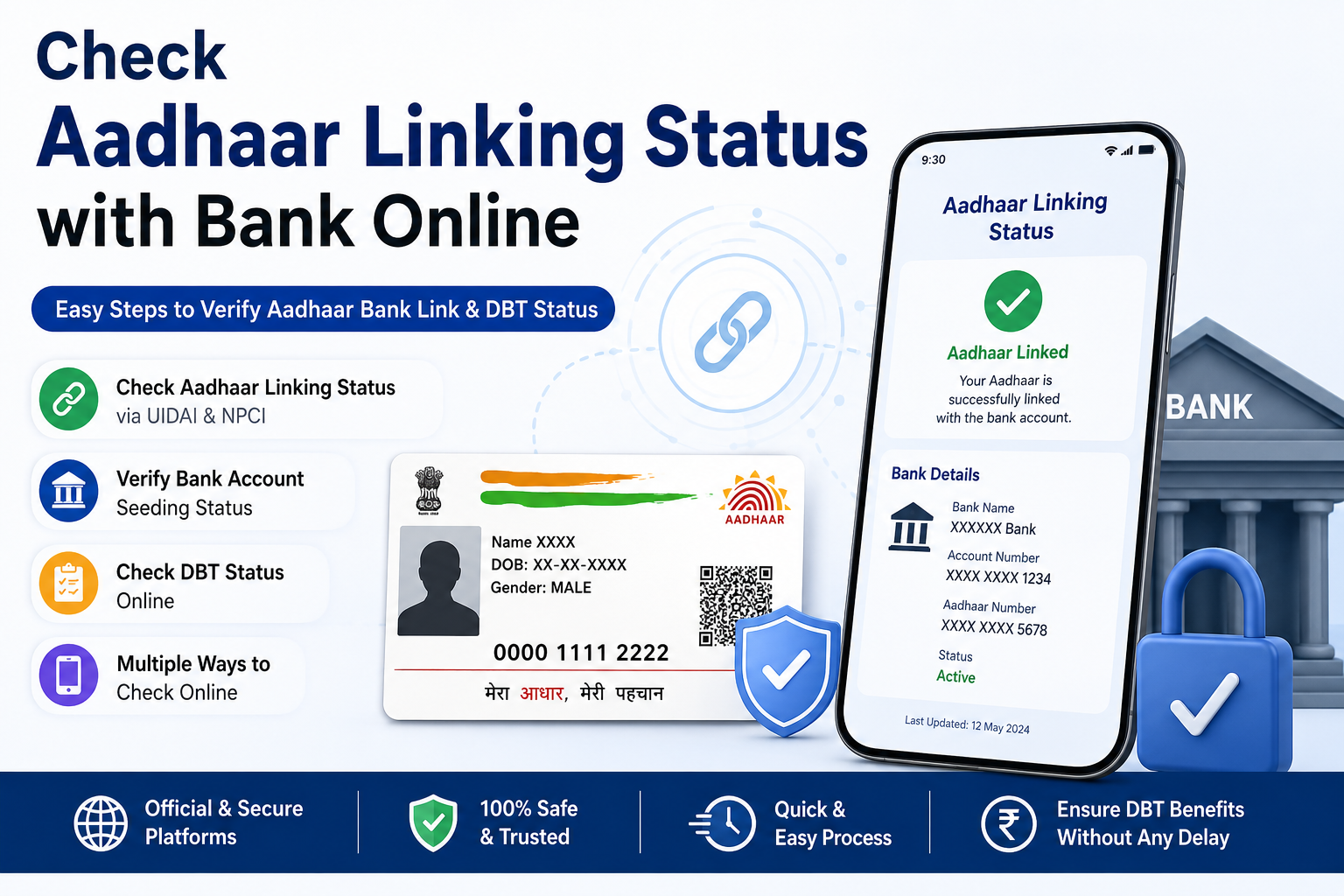
How to Check Aadhaar Linking Status with Bank Online
Checking whether your Aadhaar is linked with your bank account is important if you receive government subsidies or Direct Benefit Transfer (DBT) benefits. A successful Aadhaar-bank linking helps ensure that eligible payments are credited to the correct account.
There are multiple official ways to verify your Aadhaar linking status.
Method 1: Check Aadhaar Linking Status Through UIDAI
The UIDAI website provides an Aadhaar authentication service that helps users access Aadhaar-related services. If your bank supports the required services, you may also be able to verify Aadhaar-bank linking through official channels.
Steps
- Visit the official UIDAI website. Click Here to Visit
- Open the Aadhaar Services section.
- Choose the Aadhaar-bank linking or related verification service (if available).
- Enter your 12-digit Aadhaar number.
- Verify using the OTP sent to your registered mobile number.
- View the linked bank details, if available.
Tip: Always use the official UIDAI portal and never share your OTP with anyone.
Method 2 – Check NPCI Aadhaar Link Bank Account Status
NPCI (National Payments Corporation of India) maintains the Aadhaar Mapper used for Direct Benefit Transfer (DBT).
When your bank successfully seeds your Aadhaar and updates NPCI, one bank account becomes the active DBT account.
Information You May See
- Aadhaar linked status
- Bank name
- Mapping status
- Last updated date
- Active bank for DBT
If your Aadhaar is linked with multiple banks, only one bank account is generally active in the NPCI Mapper for DBT purposes.
Request for Aadhaar Seeding/Deseeding
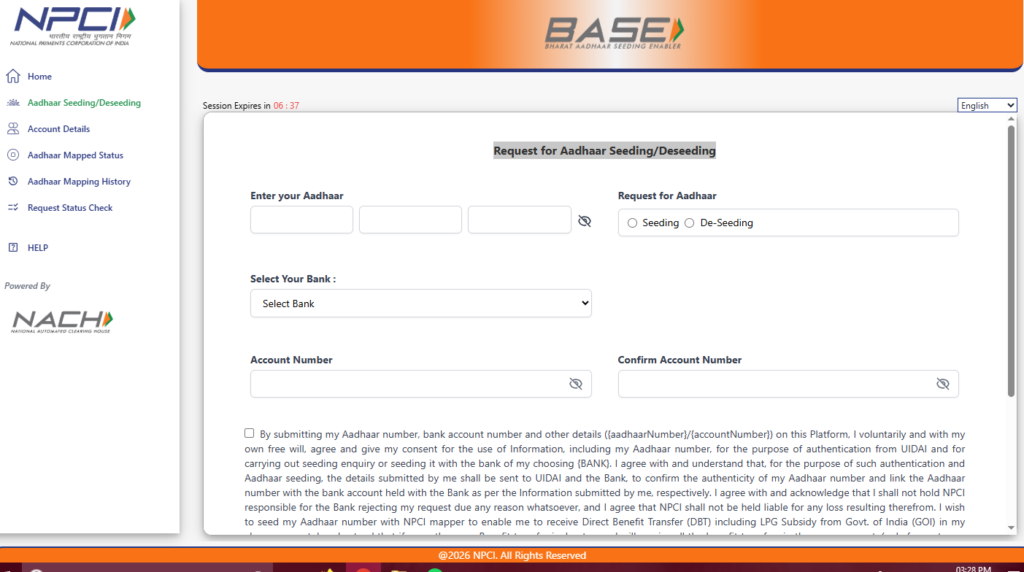
NPCI Home Page Official Link :Click Here to Visit
Complaints Registration NPCI : Click Here to Visit
Method 3 – Internet Banking
Most banks allow customers to check Aadhaar linking status through Internet Banking.
General Steps
- Log in to Internet Banking.
- Open Profile or Service Requests.
- Select Aadhaar Linking or Aadhaar Seeding.
- View the current status.
Possible messages include:
- Aadhaar Linked
- Aadhaar Not Linked
- Aadhaar Under Verification
- Aadhaar Seeding Pending
Method 4 – Mobile Banking App
Most leading Indian banks provide Aadhaar status through their official mobile banking applications.
Steps
- Open your bank’s official app.
- Log in securely.
- Go to Services.
- Select Aadhaar Services.
- View the linking status.
Method 5 – Visit Your Bank Branch
If online verification is unavailable, visit your bank branch with:
- Aadhaar Card
- Passbook
- Registered Mobile Number
- Identity Proof (if requested)
The bank representative can verify whether your Aadhaar is linked and whether Aadhaar seeding has been completed.
Method 6 – Customer Care
You may also contact your bank’s customer support and request verification of:
- Aadhaar Linking Status
- Aadhaar Seeding Status
- NPCI Mapping Status
- DBT Status
Keep your account details ready for verification.
How to Check Aadhaar DBT Status
DBT status indicates whether your Aadhaar-linked bank account is eligible to receive Direct Benefit Transfer payments.
Generally, the process includes:
- Confirm Aadhaar is linked with your bank.
- Ensure Aadhaar seeding has been completed.
- Verify that your bank has updated the NPCI Mapper.
- Check your eligibility under the relevant government scheme.
Direct Benefit Transfer (DBT) FAQ :Click Here to Visit
What Does “Aadhaar Seeding Successful” Mean?
When the status shows Aadhaar Seeding Successful, it generally indicates that:
- Your Aadhaar has been verified by the bank.
- The bank has updated its records.
- Aadhaar details have been processed for NPCI mapping (where applicable).
However, DBT payments also depend on your eligibility under the specific government scheme.
Understanding Different Status Messages
Aadhaar Linked
Your Aadhaar has been linked with your bank account.
Meaning
- KYC completed
- Aadhaar stored in bank records
- Eligible for Aadhaar-based services (subject to applicable rules)
Aadhaar Seeding Pending
The bank has received your request but processing is still underway.
Action
Wait for processing or contact your bank if the status does not change within the expected timeframe.
Aadhaar Not Linked
Your Aadhaar is not linked with the selected bank account.
Solution
Submit an Aadhaar linking request through:
- Internet Banking
- Mobile Banking
- ATM (if supported)
- Bank Branch
NPCI Mapping Pending
The bank has linked your Aadhaar but the NPCI Aadhaar Mapper has not yet been updated.
Solution
Allow additional processing time or contact your bank for an update.
DBT Enabled
Your mapped bank account is ready to receive eligible government Direct Benefit Transfer payments.
DBT Disabled
This may occur if:
- Aadhaar is not seeded correctly.
- NPCI mapping is incomplete.
- Another bank account is currently active for DBT.
- Scheme-specific eligibility conditions are not met.
Contact your bank or the concerned scheme authority for assistance.
Common Reasons for Aadhaar Linking Failure
Several issues can prevent successful Aadhaar linking.
Name Mismatch
The name in the bank account and Aadhaar records should substantially match.
Mobile Number Not Registered
Some online services require a mobile number registered with Aadhaar to receive OTPs.
Incorrect Aadhaar Number
Entering an incorrect Aadhaar number will cause verification to fail.
Bank Processing Delay
Banks may require several working days to complete verification and update NPCI.
Technical Error
Temporary system maintenance or technical issues may delay processing.
How Long Does Aadhaar Linking Take?
Processing time varies by bank.
Typical timelines are:
- Aadhaar verification: 1–3 working days
- Aadhaar seeding: 2–7 working days
- NPCI mapping update: may take a few additional working days
If the status remains pending for an extended period, contact your bank for clarification.
How can I check my Aadhaar linking status with my bank online?
You can check Aadhaar linking status through UIDAI-supported services, Internet Banking, Mobile Banking, or by contacting your bank. You may also verify NPCI mapping for DBT purposes where applicable.
What is NPCI Aadhaar Mapper?
NPCI Aadhaar Mapper is a centralized database that identifies the bank account mapped for receiving eligible Direct Benefit Transfer (DBT) payments.
How long does Aadhaar linking take?
Most banks complete Aadhaar verification within 1–3 working days, Aadhaar seeding within 2–7 working days, and NPCI mapping may take a few additional working days.
What does Aadhaar Seeding Successful mean?
It means your Aadhaar has been successfully verified and linked in the bank’s records. Where applicable, the bank also processes the information for NPCI mapping.
Can one Aadhaar be linked with multiple bank accounts?
Yes. Aadhaar can be linked with multiple bank accounts. However, only one bank account is generally active in the NPCI Aadhaar Mapper for receiving DBT payments at a time.
Why is my Aadhaar linking pending?
Pending status may occur due to bank processing delays, document verification, technical issues, or pending NPCI mapping.
What if Aadhaar is not linked?
You should submit an Aadhaar linking request through Internet Banking, Mobile Banking, ATM (if supported), or by visiting your bank branch.
Is Aadhaar linking mandatory for all bank accounts?
Requirements vary depending on applicable laws, banking regulations, and specific government schemes. Check with your bank for current guidelines.
Aadhaar PDF Password Not Working? Here is the Exact Format & Fix

1 thought on “Check Aadhaar linking status with bank”